How to Convert PDF to Word
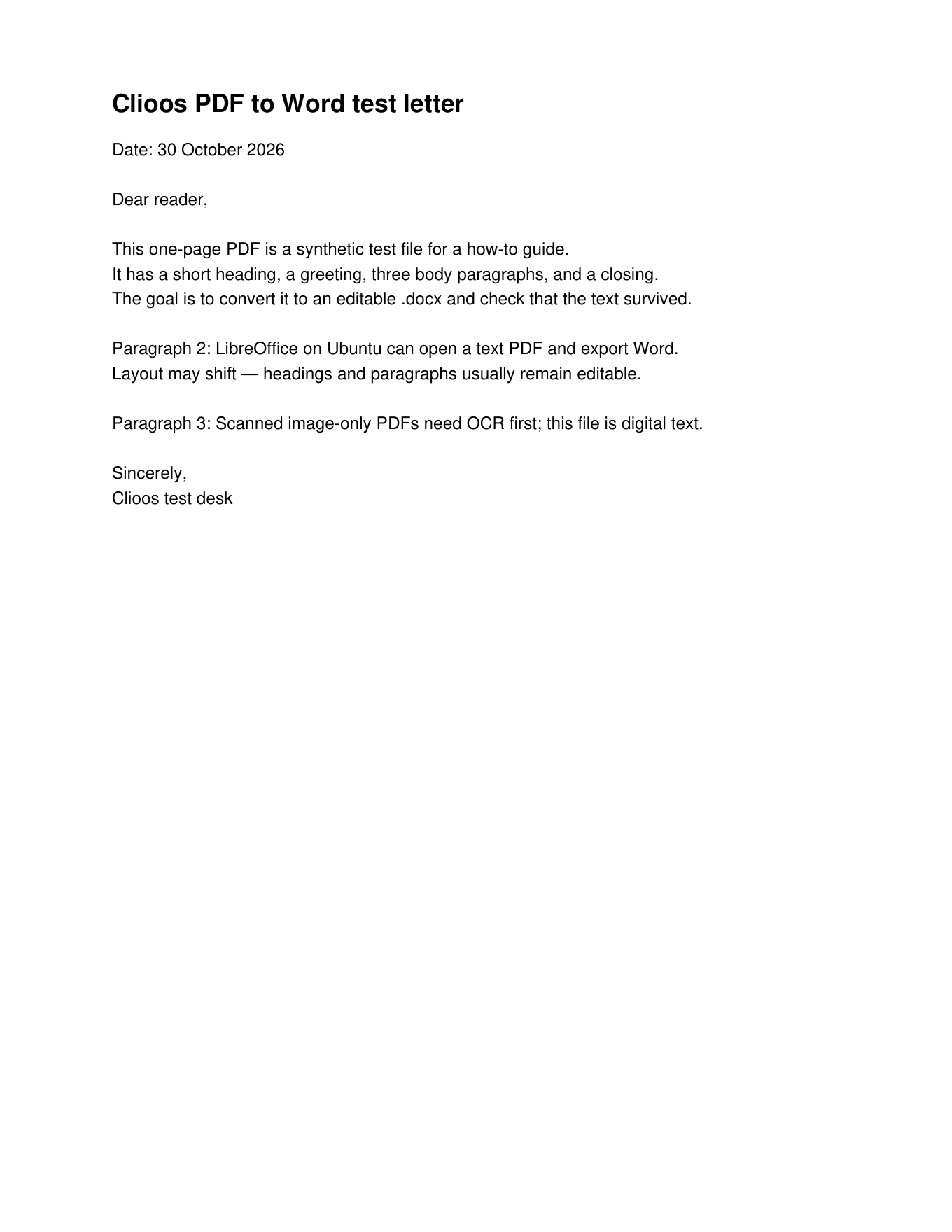
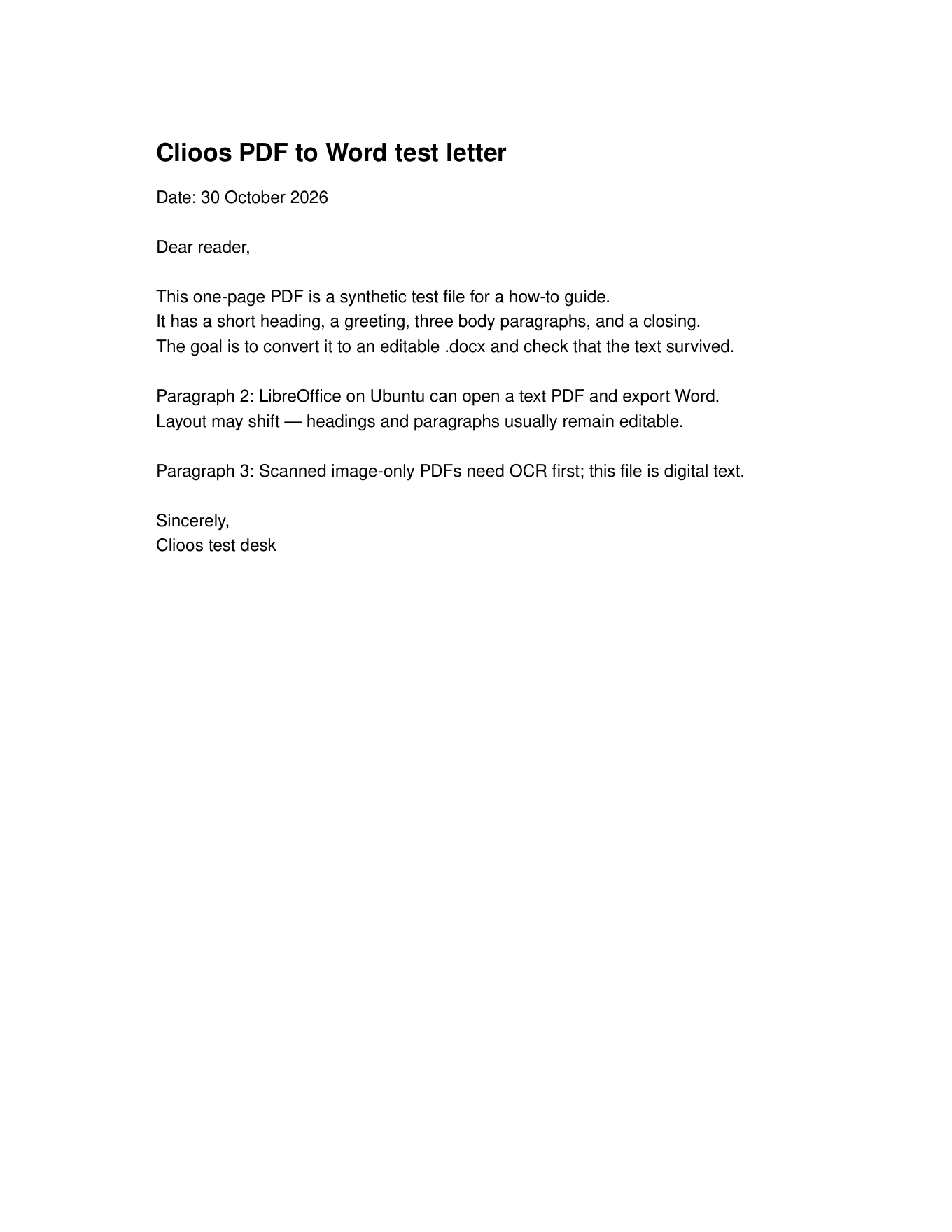
Two free offline paths convert a digital text PDF into an editable Word .docx: LibreOffice Writer’s desktop File → Save As… flow, and the Python package pdf2docx. Both ran on the same one-page letter PDF (first-line heading starts with “Clioos PDF to Word”; date line “30 October 2026”) with LibreOffice 25.2.3.2. Scanned or image-only PDFs need OCR before any of these steps will recover selectable text.
At a glance
- LibreOffice Writer (desktop): File → Open… with file type PDF - Portable Document Format (Writer) (*.pdf), then File → Save As… → Word 2010–365 Document (.docx).
- LibreOffice (command line): one
sofficecommand with the Writer PDF import filter. - pdf2docx: a short Python script; the one-page letter finished in about 0.03 seconds.
- Layout can shift after conversion — open the .docx and check spacing before you share it.
- These paths need selectable text in the PDF. They do not run OCR.
Steps
- Start LibreOffice Writer (an empty document is fine). Menu bar: File, Edit, View, Insert, Format, Styles, Table, Form, Tools, Window, Help. Tested on LibreOffice 25.2.3.2.
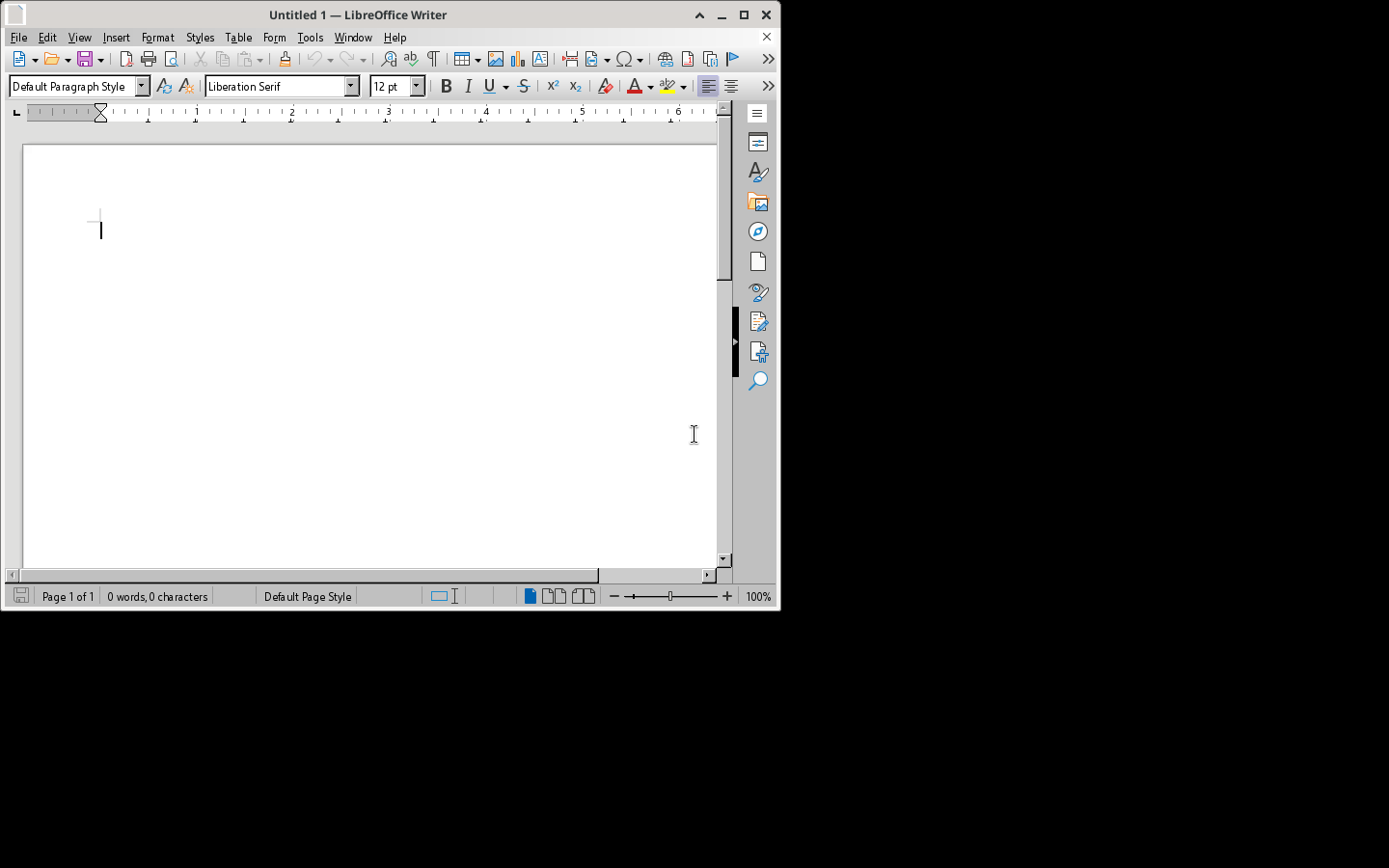
LibreOffice Writer with the standard File menu. - Choose File → Open… (or Ctrl+O). In the Open dialog, set File type to PDF - Portable Document Format (Writer) (*.pdf), select your PDF, and click Open.
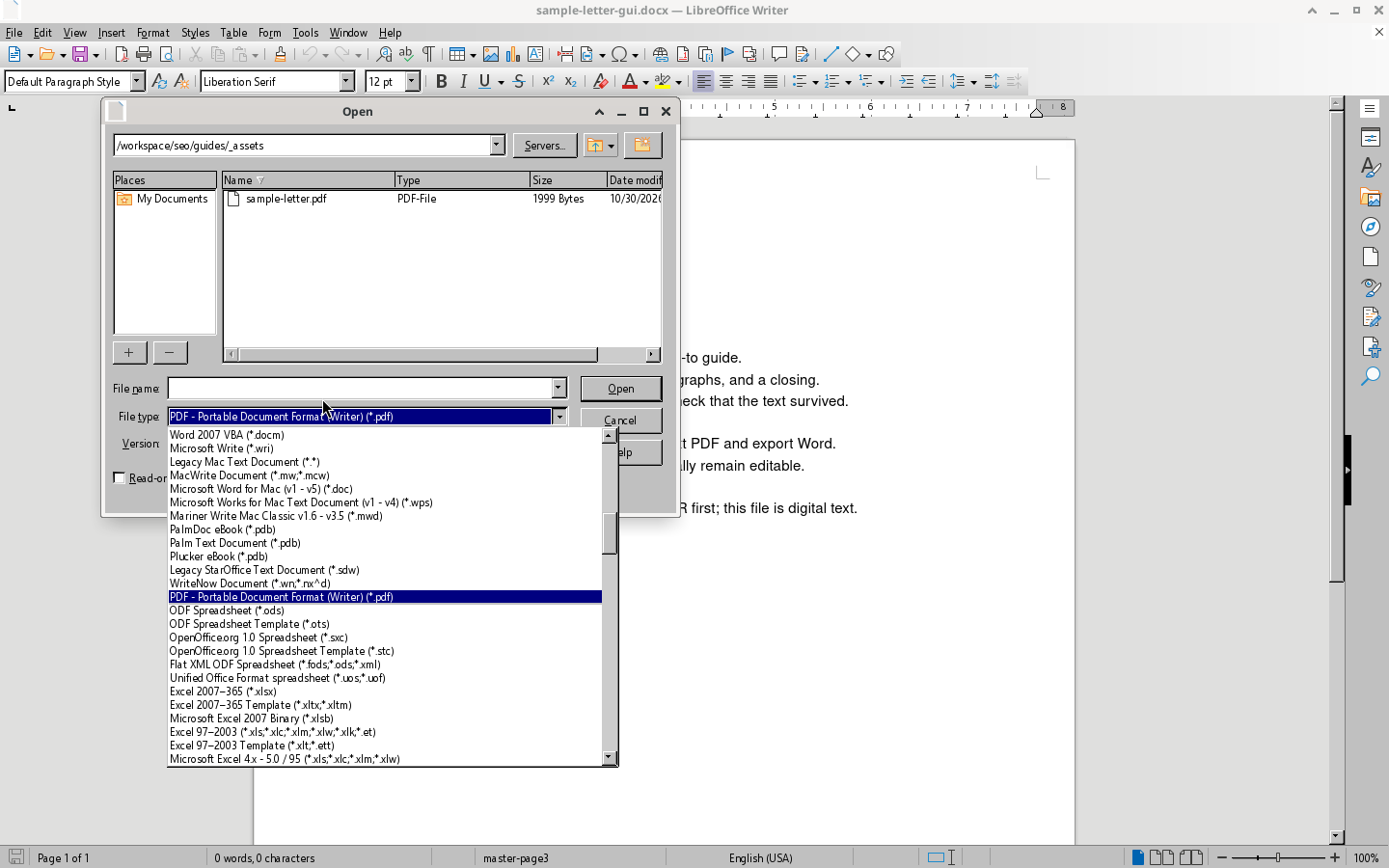
Open dialog: File type set to PDF - Portable Document Format (Writer) (*.pdf). - Confirm the title bar ends with LibreOffice Writer (for example
sample-letter.pdf — LibreOffice Writer). If it says LibreOffice Draw instead, close that window and open again with the Writer PDF file type — Draw’s Save As list is for drawings (.odg), not Word.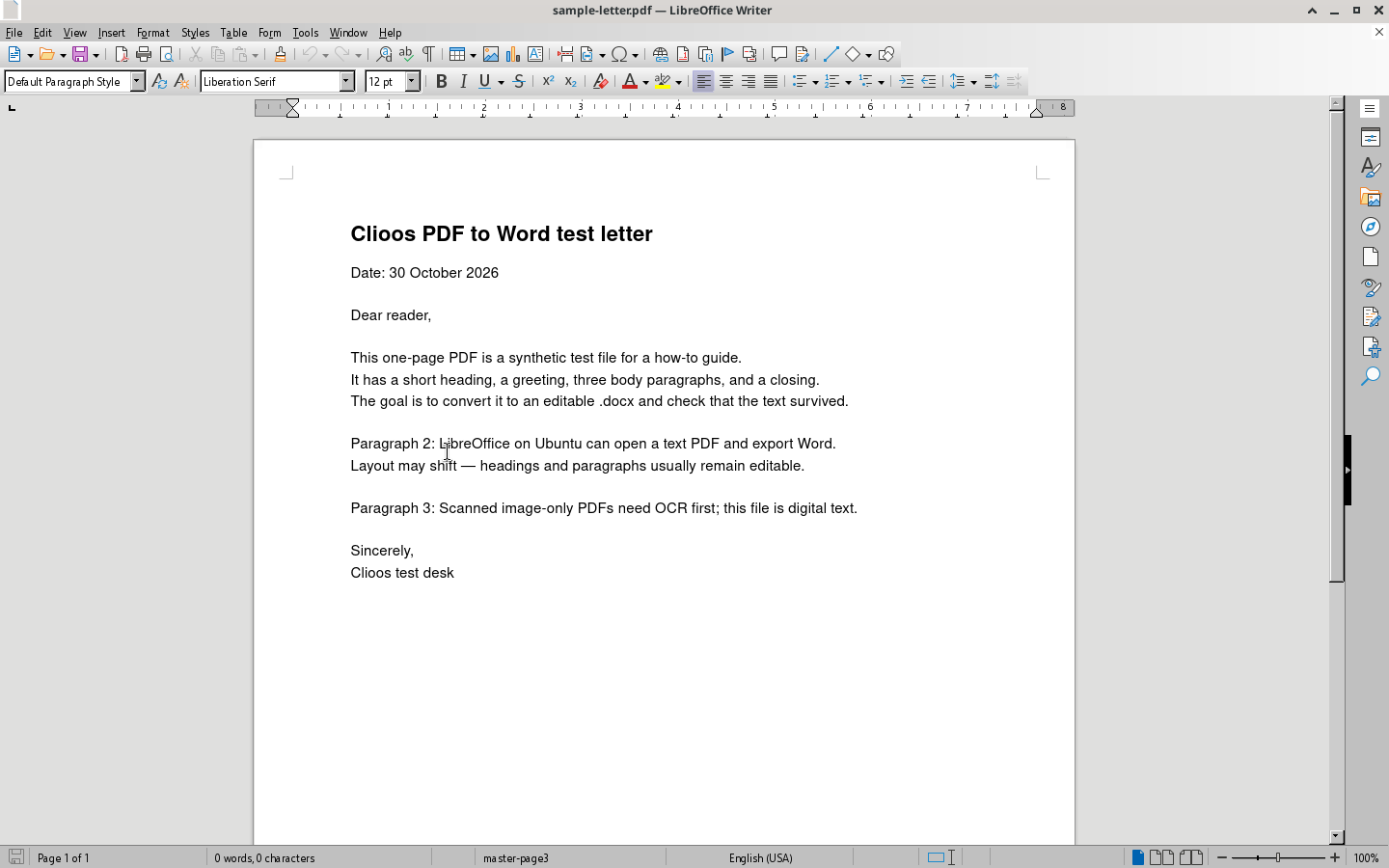
PDF open in Writer — title bar shows LibreOffice Writer; text is on the page. - Choose File → Save As… (or Ctrl+Shift+S).
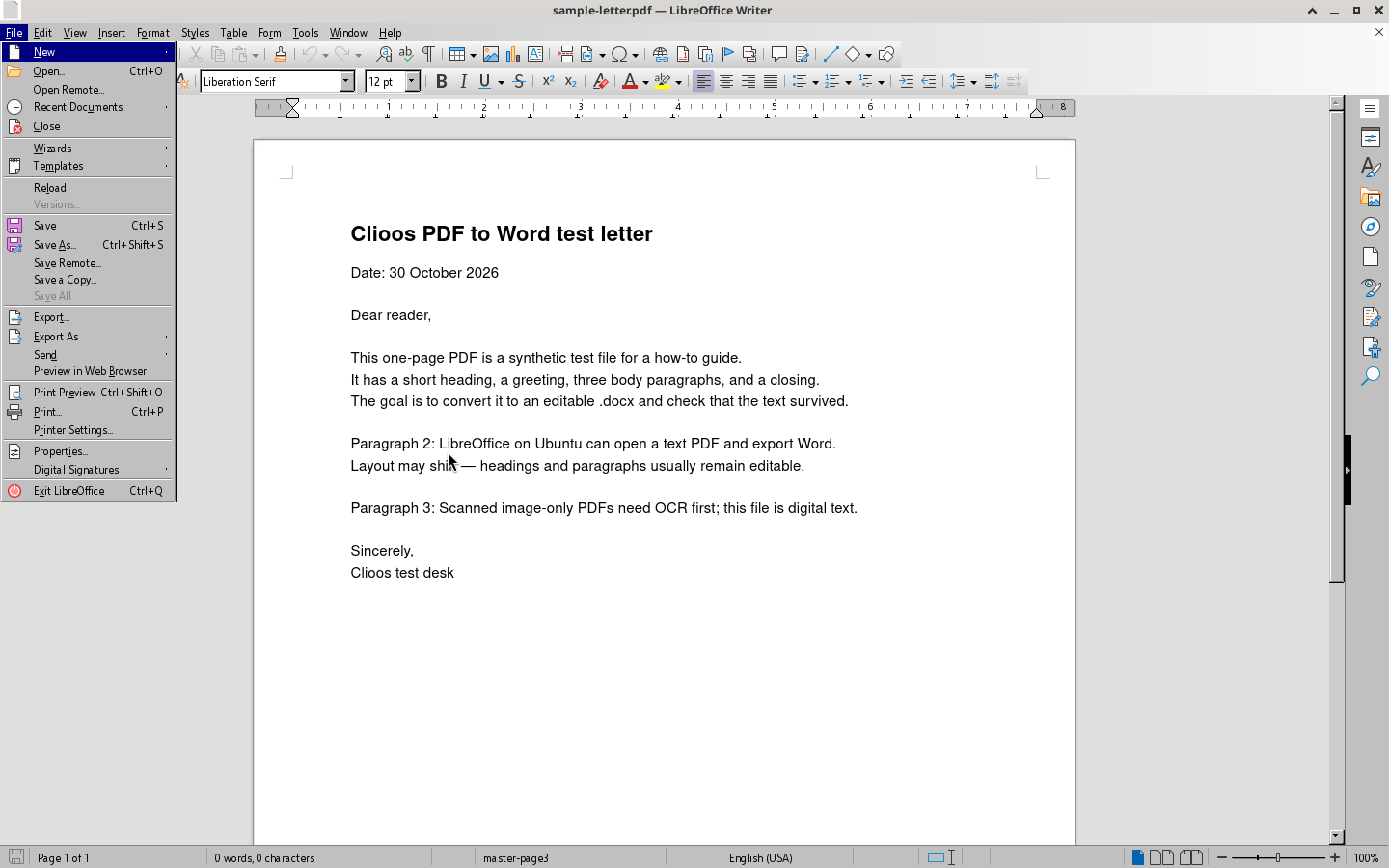
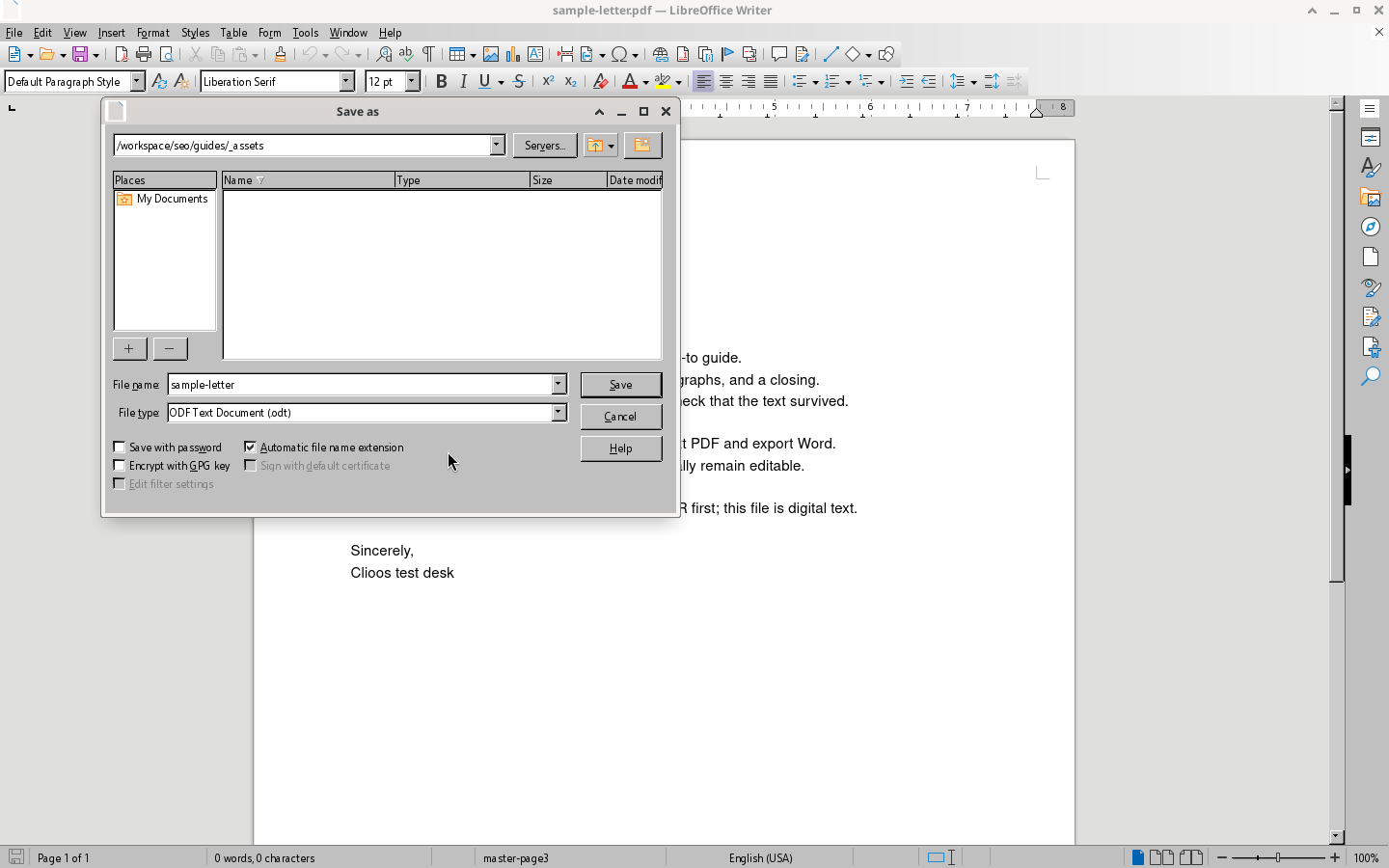
File menu with Save As… - In the Save as dialog, enter a file name. Open the File type list and choose Word 2010–365 Document (.docx).
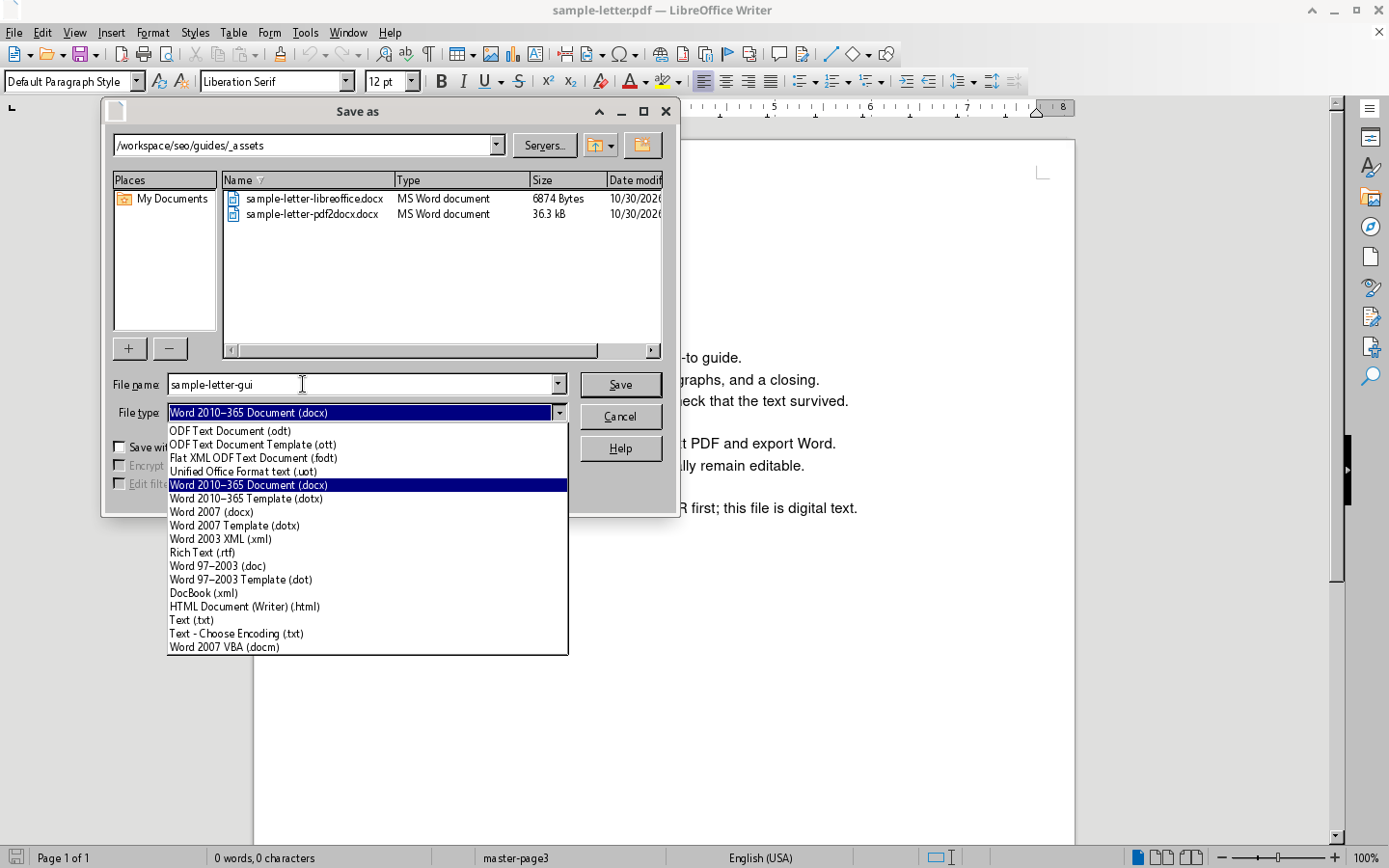
File type list with Word 2010–365 Document (.docx) selected. - Click Save. If Confirm File Format appears — warning that some formatting may not save in Word — click Use Word 2010–365 Document Format. Open the new .docx; the sample letter kept the heading, “Dear reader,” and body paragraphs as editable text. Expect possible layout shifts.
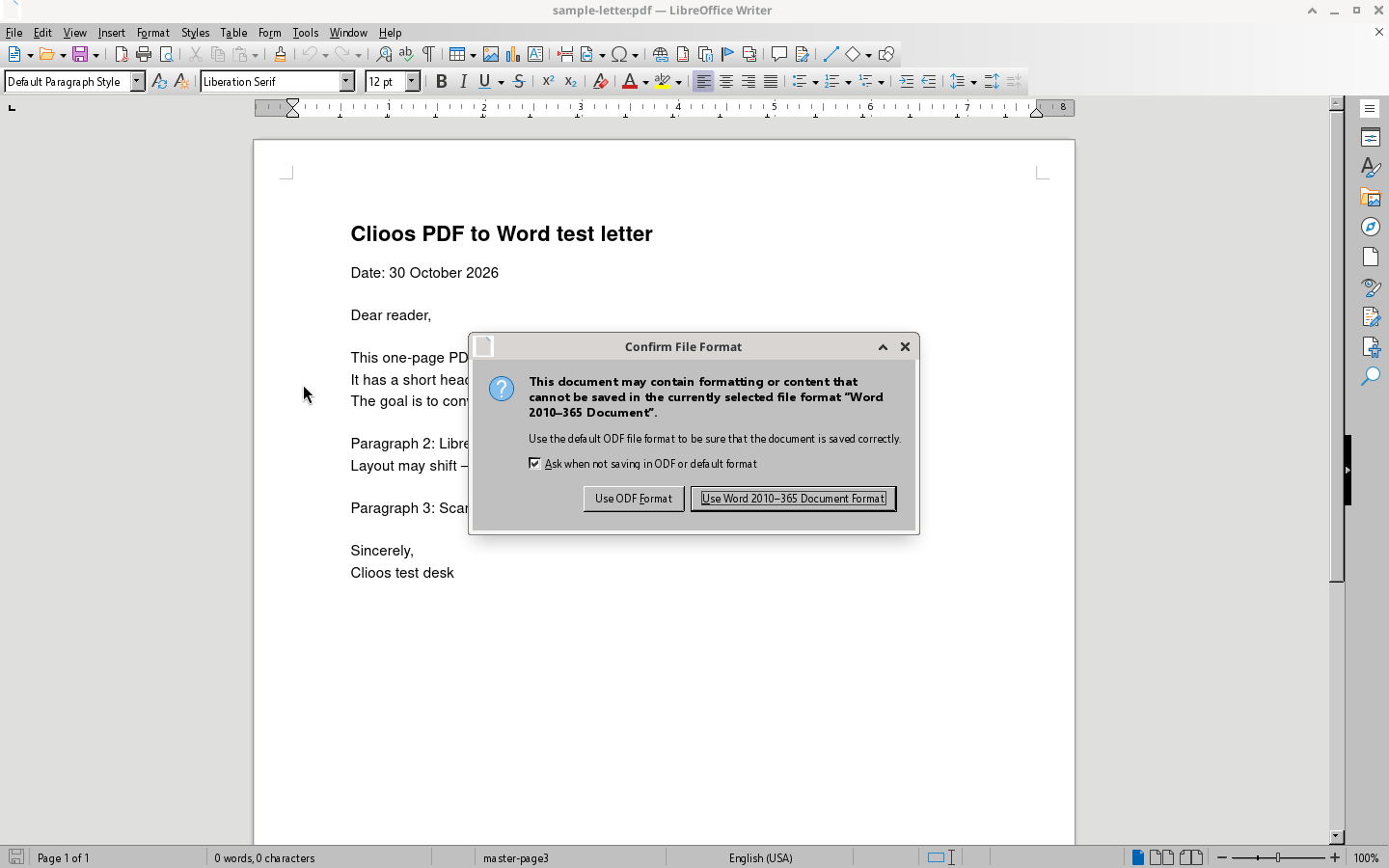
Confirm File Format: Use ODF Format vs Use Word 2010–365 Document Format.
When it works
Use these methods when you can select and copy text in the PDF. The sample letter had a heading, date, salutation, and body paragraphs; both LibreOffice and pdf2docx produced a .docx with editable text.
- Works well: selectable text, simple layout (like a one-page letter).
- Needs cleanup: tables, columns, forms, or unusual fonts — spacing may move.
- Scanned or image-only PDFs need OCR before any of these steps will recover selectable text.
Method 2: LibreOffice command line
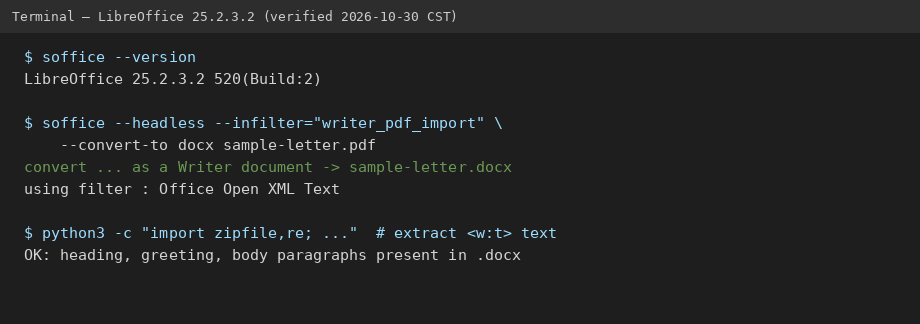
Same Writer PDF import, without the menus:
soffice --version
# LibreOffice 25.2.3.2 520(Build:2)

soffice --headless --infilter="writer_pdf_import" --convert-to docx sample-letter.pdf
Without --infilter="writer_pdf_import", LibreOffice may open the PDF as Draw and fail with “no export filter.” With the filter, you get sample-letter.docx in the same folder.
Method 3: pdf2docx (Python)
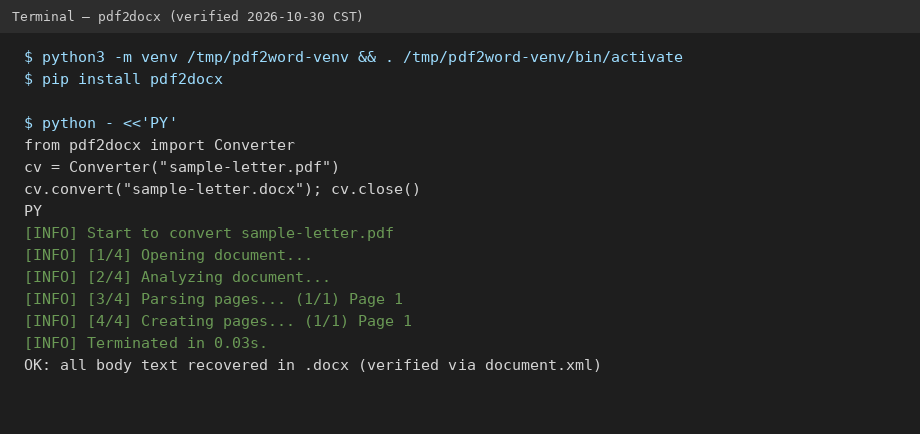
python3 -m venv /tmp/pdf2word-venv && . /tmp/pdf2word-venv/bin/activate
pip install pdf2docx

python - <<'PY'
from pdf2docx import Converter
cv = Converter("sample-letter.pdf")
cv.convert("sample-letter.docx")
cv.close()
PY
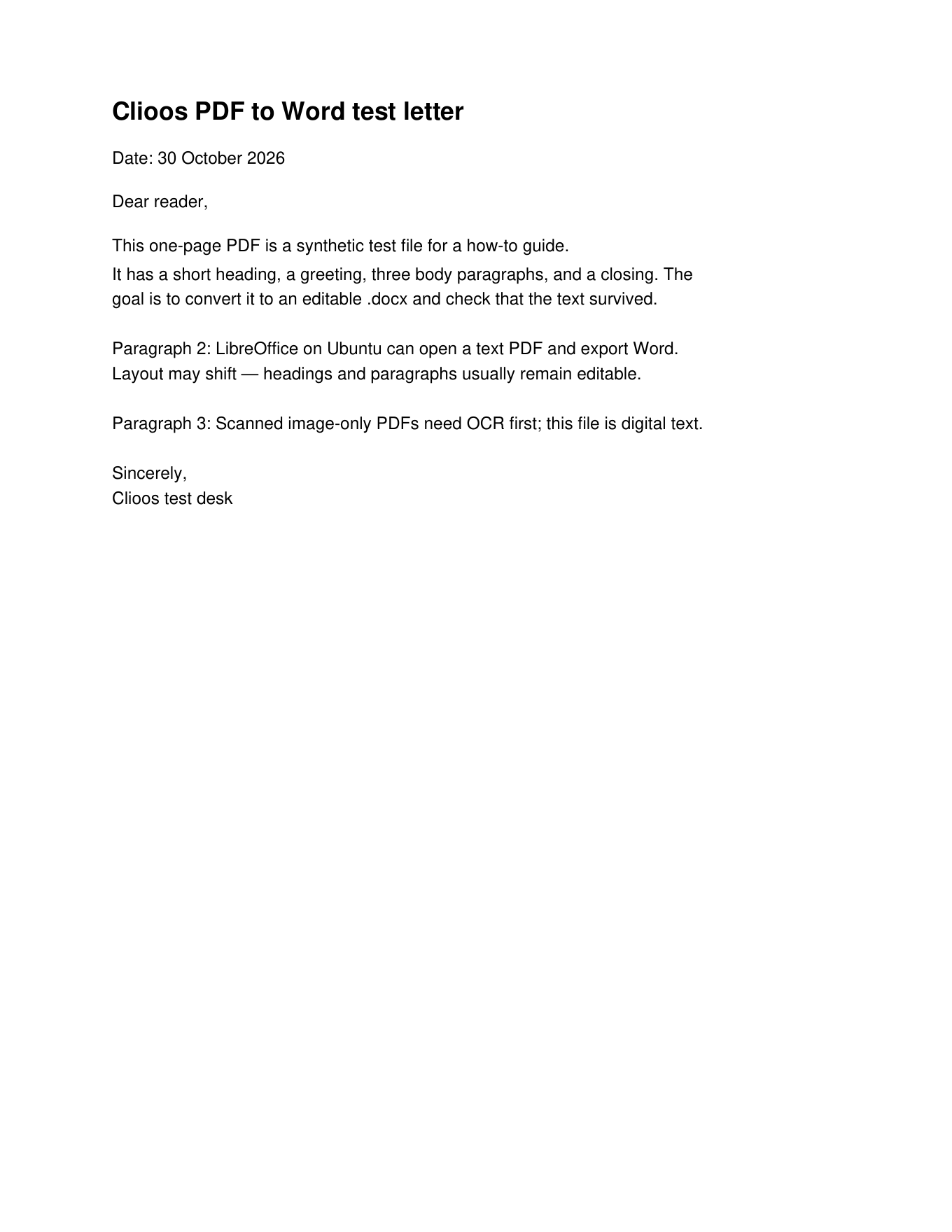
On the one-page letter this finished in about 0.03 seconds. The .docx contained the full body text, including “Paragraph 2” and “Paragraph 3.”
Frequently asked questions
Can I convert a PDF to Word for free?
Yes. LibreOffice 25.2 and pdf2docx are free and run offline. Results depend on the PDF (selectable text vs scan, simple vs complex layout).
Will the Word file look exactly like the PDF?
Not always. Text stays editable, but spacing and line breaks can move. Simple letters fare better than multi-column layouts.
Why does LibreOffice open my PDF in Draw?
Opening with the default file type often loads Draw. In Writer’s Open dialog, set File type to PDF - Portable Document Format (Writer) (*.pdf) so the title bar shows LibreOffice Writer before you Save As Word.
Why did the command line say “no export filter”?
That happens when the PDF is imported as Draw. Add --infilter="writer_pdf_import" so Writer handles the import and can write .docx.
How long does pdf2docx take?
About 0.03 seconds on a one-page letter. Larger files take longer.
Can I convert PDF tables to Excel instead?
Yes — that is a different job. PDF Probe at clioos.com/pdf/ extracts PDF tables and bank statements to Excel; it does not convert PDF to Word. See How to Convert PDF to Excel.
Related guides: How to convert PDF to Excel · How to convert a bank statement PDF to Excel · PDF Probe vs DocuClipper · All guides · Tool: PDF Probe